
 Offer Britixo as SaaS: Packages, Onboarding & Billing (for Accountants) | Britixo Accounting Software UK.
Introduction
If you’re an accounting firm, you can provide Britixo as a Service. Spin up dedicated workspaces (tenants) for each client, bundle features (Accounting, Invoicing, HR/Payroll), and charge monthly—while you remain the administrator.
This also enables you to manage your clients’ financials in a flexible way. You can either provide them with full access to a complete practice management software with integrated CRM, or simply allow them to record key entries such as sales and expenses. From the admin panel, you retain control to perform fiscal closings, supported by AI-powered automation for seamless real time data fetching.
 1) Create SaaS packages
 Go to: My Account → Overview → Create a new company panel → (share the admin link of generate panel with desired client)
 Define Feature access (modules included), User limits, Storage, Support level.
 Set your own Pricing (monthly/annual) and Trial (optional).
Follow the screenshot below:
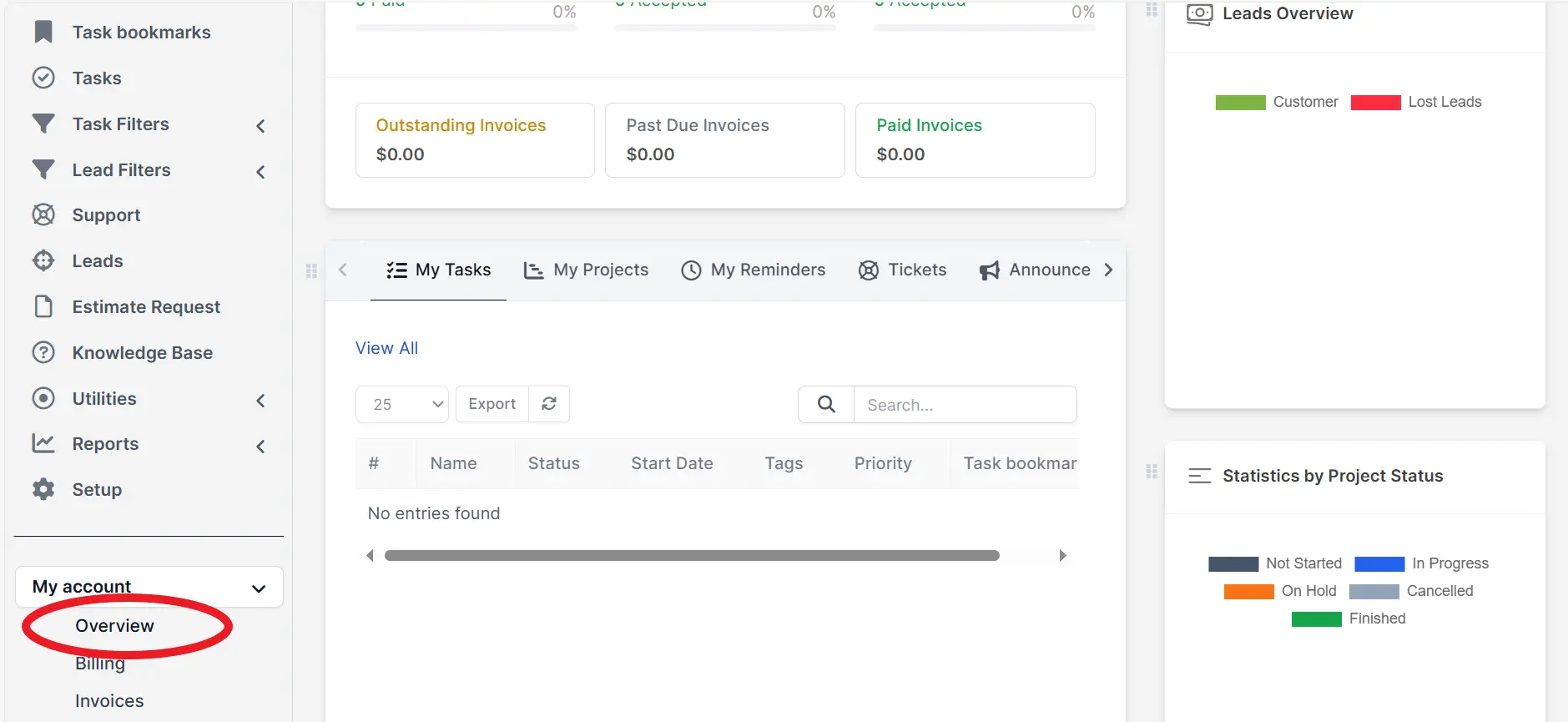
> Step # 2 (Create a panel for your client).
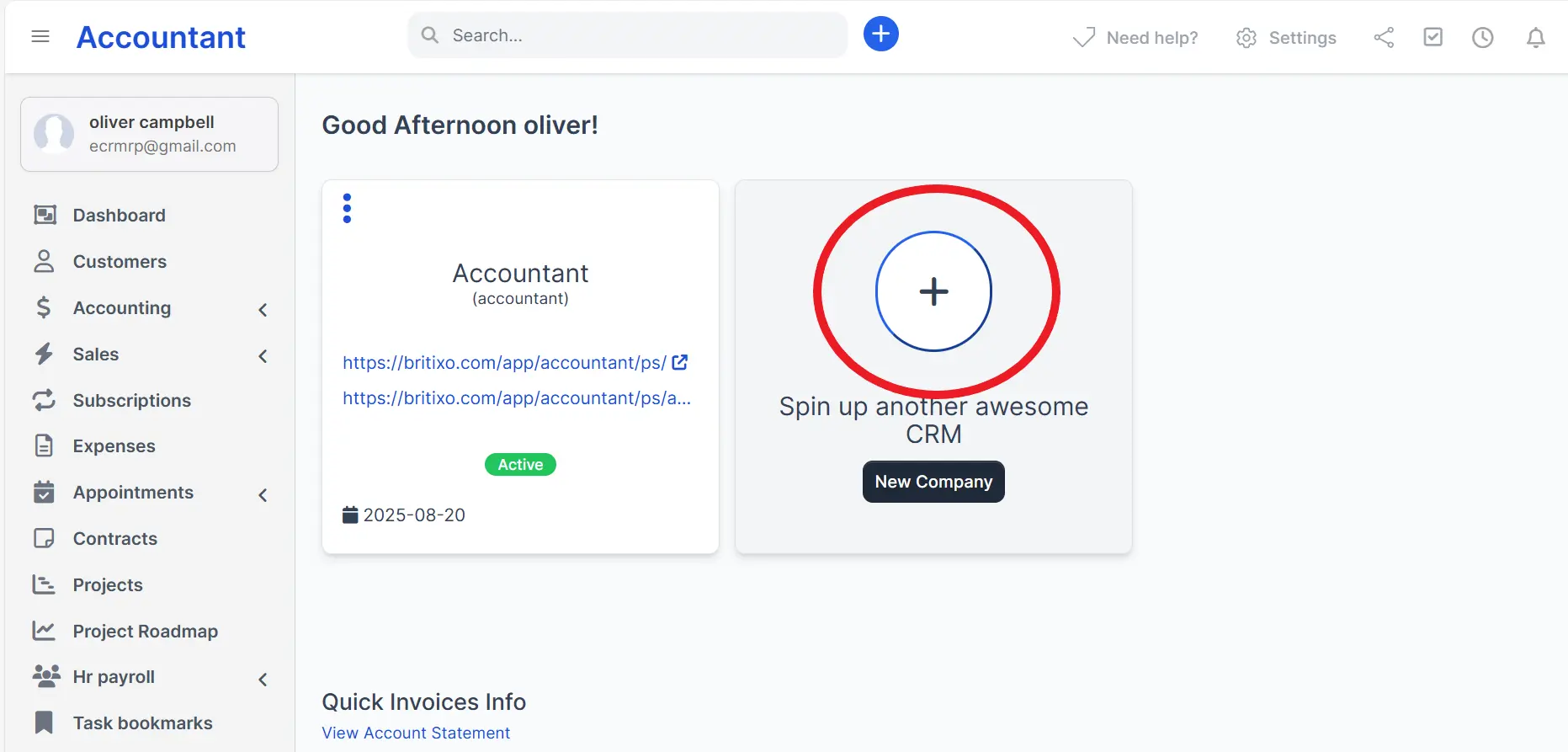
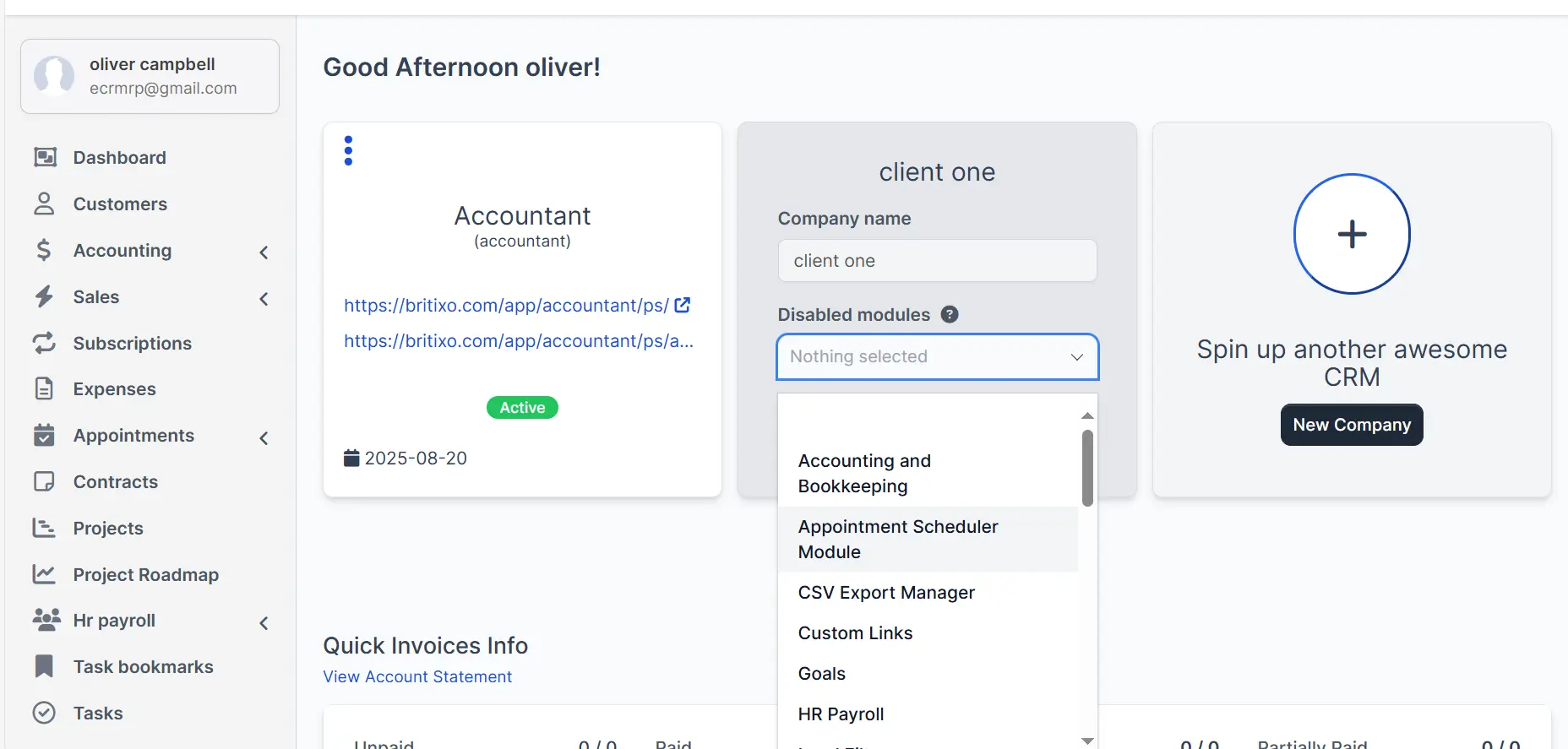
> Step # 3 (Enable or Disable the modules).
It depends on your approach: you may choose to provide your client with a complete practice management software including a built-in CRM, or limit their access to basic transaction entries such as sales and expenses. If you do not wish to restrict functionality, you can simply enable all modules.
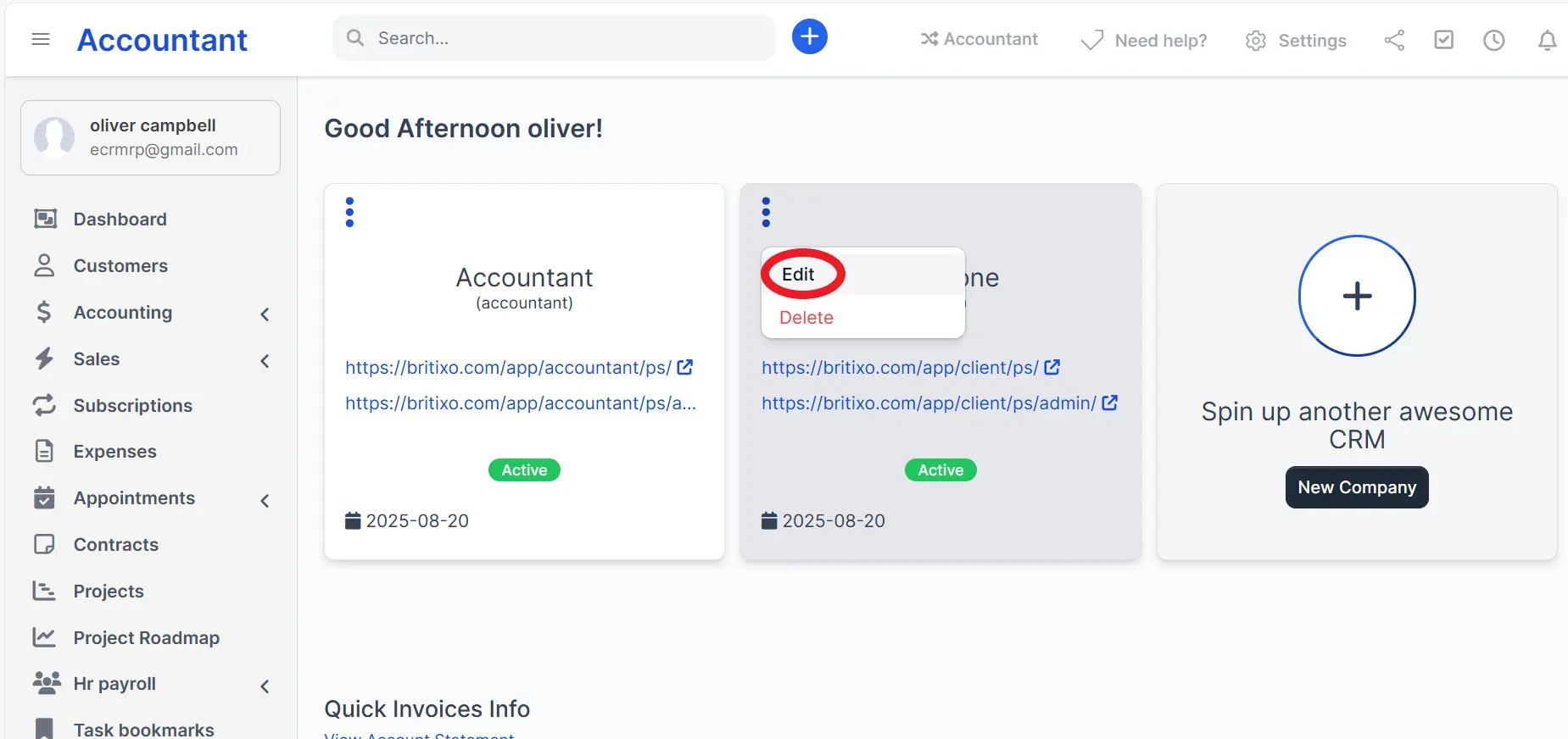
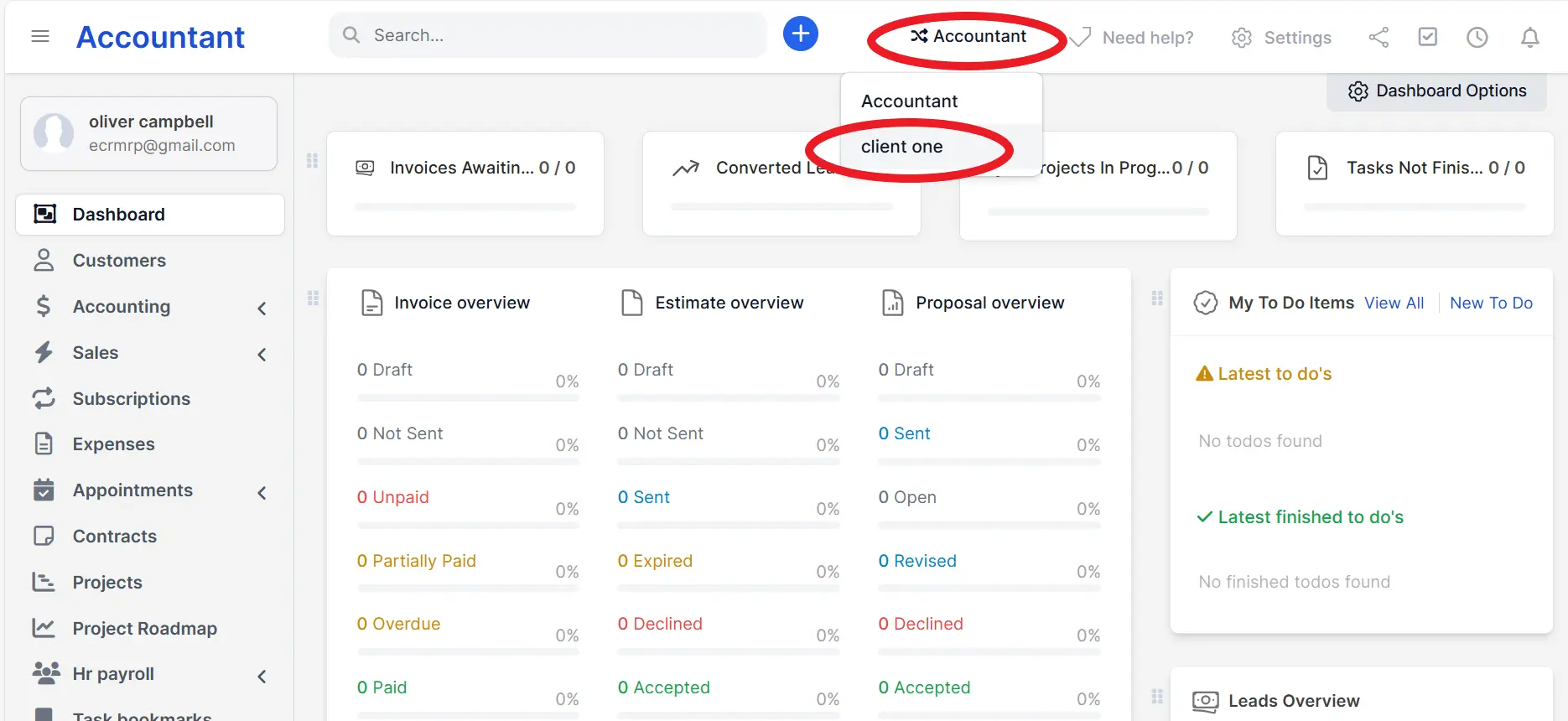
> Step # 4 (How to access your client's portal as an accountant)?
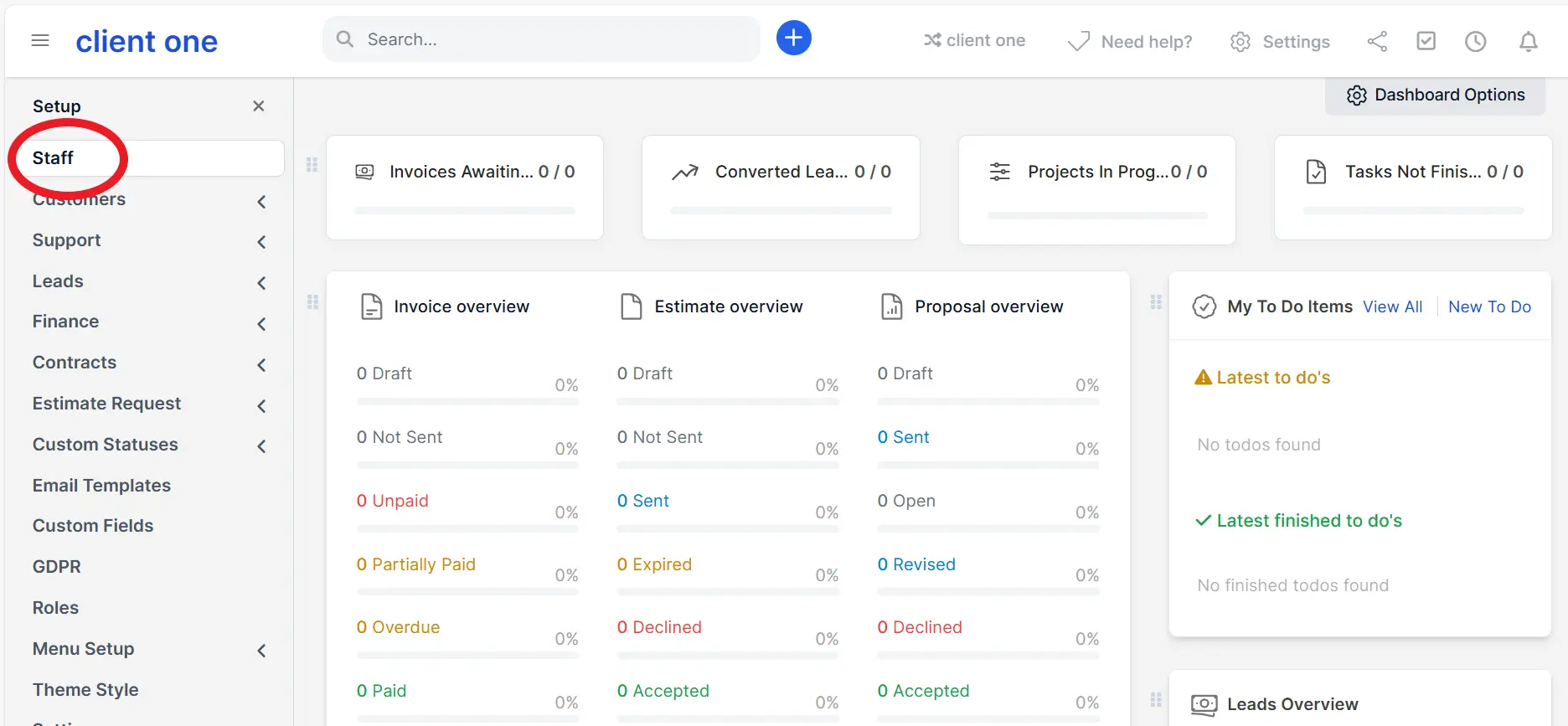
> Step # 5 (Create access for your client)?
4) Bill your clients
Customers (on your admin panel) → Subscriptions
Choose billing cycle (monthly/annual), enable auto-renew and payment gateway (Stripe/PayPal).
Taxes/currency follow your firm settings.
5) Manage support & access
support works as usual
Your team can switch into a client workspace (with proper permission) for support.
Suspend or upgrade packages in clicks.
6) Monitor usage & churn
Client’s Dashboard /CRM → Reports
Track active tenants, MRR/ARR, failed payments, and trials expiring.
Pro tips (for firms)
Offer tiered packages: Starter (Invoicing), Growth (Invoicing + Accounting), Plus (adds HR/Payroll).
Include onboarding sessions and templated CoA to reduce setup time.
Offer quarterly reviews as a value-add (reports, cleanup, payroll checks).