
01
Connect systems without losing control of the work
System integration and workflow automation
Moving information between systems should reduce effort without creating uncertainty. Britixo designs integrations and automated workflows around reliable data, clear ownership and a practical way to handle exceptions.
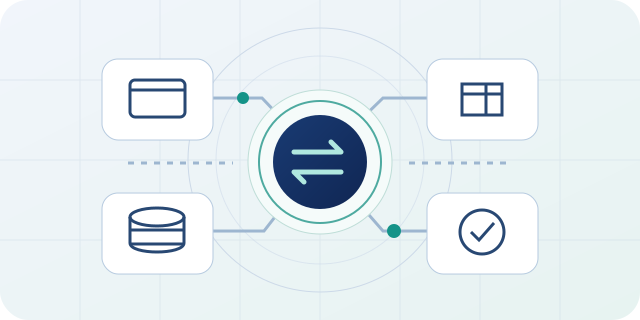
Practical outcomes
Connected workflows with visible controls and responsibilities
The final scope and acceptance criteria are agreed around your service, existing systems and priorities.
02
Defined handling for failures, repeats and exceptions
03
Monitoring, reconciliation and support guidance
The starting point
Find the right workflow to automate
Repeated data entry, spreadsheet handovers and status chasing are common reasons to consider automation. The first step is to understand why the work exists, who relies on it and where human judgement is necessary. Automating an unclear process can simply reproduce its problems more quickly.
We map the trigger, required information, decision rules and intended outcome. A useful starting workflow has a clear owner and a measurable burden, such as staff repeatedly copying approved customer details into another platform. Exceptions are included in the scope rather than left for the support team to discover after launch.
The work in practice
API integration and dependable data mapping
We examine the interfaces each system actually supports: APIs, webhooks, scheduled imports or other documented exchange methods. The design identifies the authoritative source for each field, how records match across systems and what should happen when data is missing or out of date.
Data mapping covers formats, required values, identifiers, time zones and update rules. Authentication and permissions should provide the access the integration needs, with credentials kept out of public pages and ordinary logs. Our API development and integration work can support new interfaces as well as connections to existing platforms.
Designing the detail
Workflow rules, approvals and human oversight
Not every step should run unattended. Financial approvals, ambiguous matches or changes with significant business consequences may require a person to review the information. The workflow should make that decision point explicit and explain how the work continues after approval or rejection.
For an illustrative enquiry-to-CRM workflow, automation might validate a submission, match an existing organisation and create a follow-up task. A possible duplicate or incomplete record could go to a review queue. This preserves a useful distinction between routine processing and decisions that need context.
Evidence and ownership
Retries, exceptions and reconciliation
External services can respond slowly, impose rate limits or become unavailable. Integrations need suitable timeouts and retry rules, together with a way to prevent repeated events from creating duplicate business actions. The correct approach depends on the interface and whether an operation can safely be repeated.
Monitoring should reveal failed or delayed work without exposing unnecessary personal data. Reconciliation compares what should have happened with the records that actually exist. A named owner, an understandable exception queue and a documented recovery procedure make the workflow supportable when a supplier changes its API or an unusual record arrives.
The next step
Testing and introducing an automated workflow
We agree acceptance examples for normal cases, invalid inputs, duplicates, permission failures and unavailable dependencies. Where suitable test environments exist, they allow the integration to be checked without creating live business transactions. Production verification must respect the effects of each operation.
A staged introduction can limit the initial audience or workflow volume while the team reviews the results. Handover records configuration, field mappings, alert ownership and the process for changing rules. Connections to existing Britixo integrations and your other systems are considered within the agreed scope, with supplier limitations made visible.
Useful detail
Questions about integration and automation
What to consider when defining the work with your team.
Can systems be connected if one does not have an API?
Sometimes. Supported imports, exports or other documented mechanisms may be suitable. We first examine the available interfaces, permissions and reliability requirements before recommending an approach.
Will automation remove every manual step?
Not necessarily. A useful workflow can automate predictable work while retaining human review for exceptions and consequential decisions. The objective is a clearer, more reliable process, not the highest possible automation count.
How do you measure whether an integration helps?
Agree a baseline such as manual handling time, correction rate or delayed handovers, then compare it with the live workflow. Also track failed events and reconciliation results so reduced visible effort does not conceal missing work.
Connected delivery
Continue with related capabilities
Explore the work around this service within our web and software development approach.
A useful first conversation
Make one important handover work better
Share the systems involved, the information that moves between them and the work people repeat. We can help define a controlled integration or automation scope.